

荣耀文档
80.56M · 2026-04-14

npm 安装 AntV G6
npm install @antv/g6 --save
vue2老项目与新版 AntV G6不兼容性问题,直接运行会报错,因此需安装相应依赖,原因是由于@antv/graphlib 用了ES6 + 类属性语法,vue2老项目的 Webpack/Babel没转译这个语法。npm install @babel/plugin-proposal-class-properties @babel/plugin-proposal-private-methods @babel/plugin-proposal-private-property-in-object --save-dev
babel.config.js //babel.config.js 中 新增如下内容:
module.exports = {
presets: [ '@vue/cli-plugin-babel/preset' ],
plugins: [
'@babel/plugin-proposal-class-properties',
'@babel/plugin-proposal-private-methods',
'@babel/plugin-proposal-private-property-in-object'
]
}
vue.config.js关键!必须让 babel 转译 @antv 相关包
module.exports = {
    transpileDependencies: ['@antv']
}
.vue文件中引入AntV G6 import { Graph } from '@antv/g6';
.vue文件中准备一个容器<div id="container" style="width: 500px; height: 500px"></div>
.vue文件创建一个图实例,传入配置对象,并调用 render 方法渲染图,完整代码如下:<template>
<div>
<div id="container" style="width: 100%; height: 100%"></div>
</div>
</template>
<script>
import { Graph } from '@antv/g6';
export default {
name: "antvg6",
props: [],
components: {},
data() {
return {
graph: null,
initData: {
nodes: [
{
id: 'node-1',
style: { x: 50, y: 100 },
},
{
id: 'node-2',
style: { x: 150, y: 100 },
},
],
edges: [{ id: 'edge-1', source: 'node-1', target: 'node-2' }],
},
}
},
mounted() {
this.$nextTick(() => {
this.initGraph();
})
},
beforeDestroy() {
if (this.graph) {
this.graph.destroy();
}
},
methods: {
// 初始化图表
initGraph() {
this.graph = new Graph({
container: 'container',
autoFit: 'view',
// 初始化图表数据
data: this.initData,
node: {
style: {
size: 10,
},
palette: {
field: 'group',
color: 'tableau',
},
},
layout: {
type: 'd3-force',
manyBody: {},
x: {},
y: {},
},
behaviors: ['drag-canvas', 'zoom-canvas', 'drag-element'],
});
// 渲染图表
this.graph.render();
}
}
}
</script>
<style scoped>
</style>
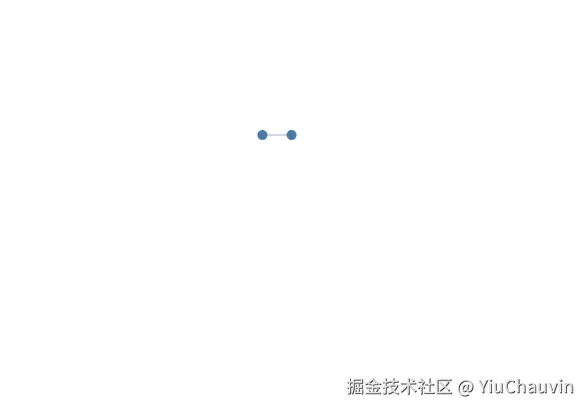
npm run dev 效果图如下: