


锦书在线
80.52M · 2026-03-21

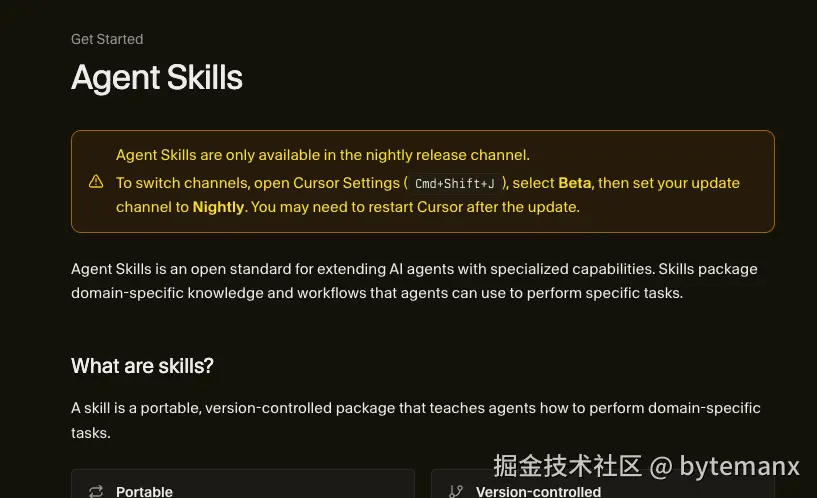
随着 AI Agent 能力的不断增强,如何让它们在需要时获取正确的上下文变得越来越重要。Cursor 最新推出的 Skills 功能,让 Agent 能够按需加载技能,而不是一开始就加载所有规则。
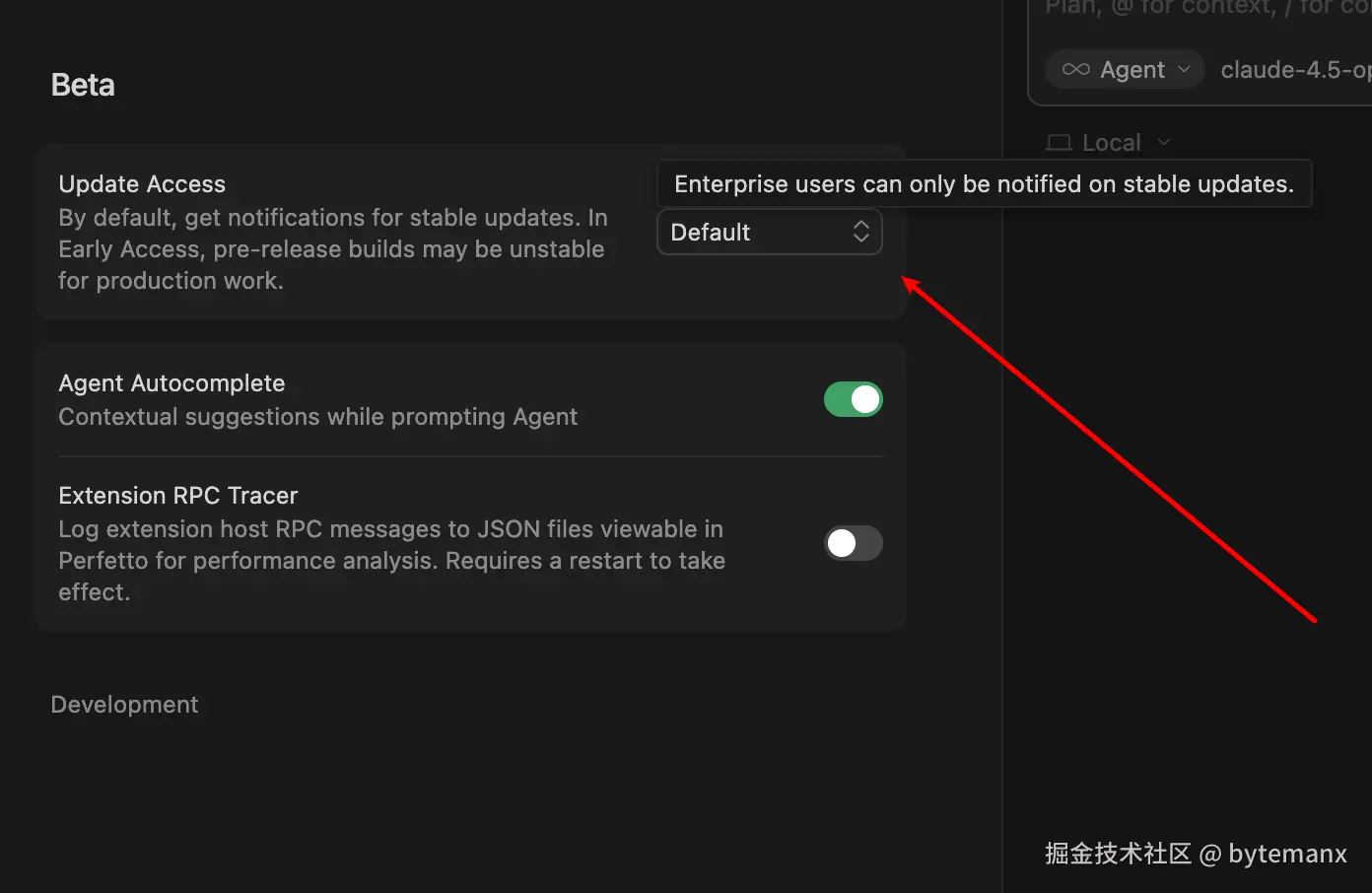
目前 Skills 仍处于 Nightly channel:
企业用户无法切换到 Nightly Channel(只能使用稳定版本):
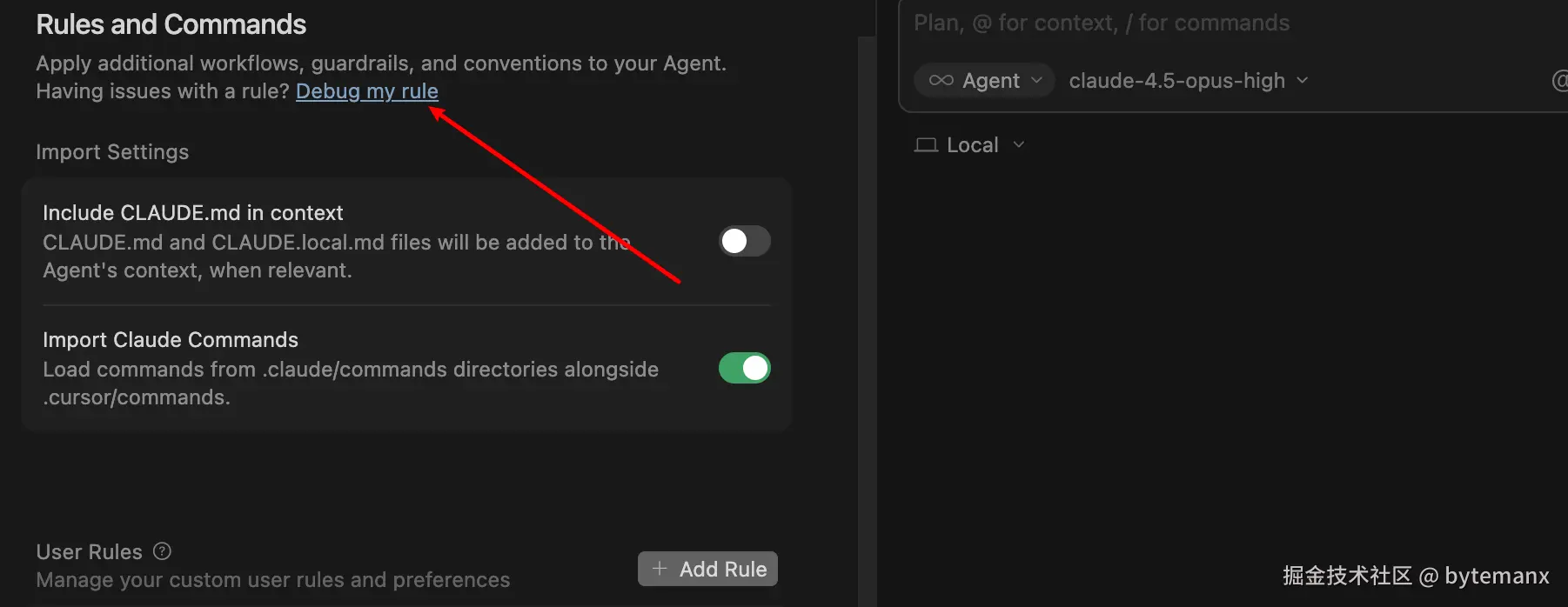
但 Cursor 官方提供了 Debug my rule 功能:
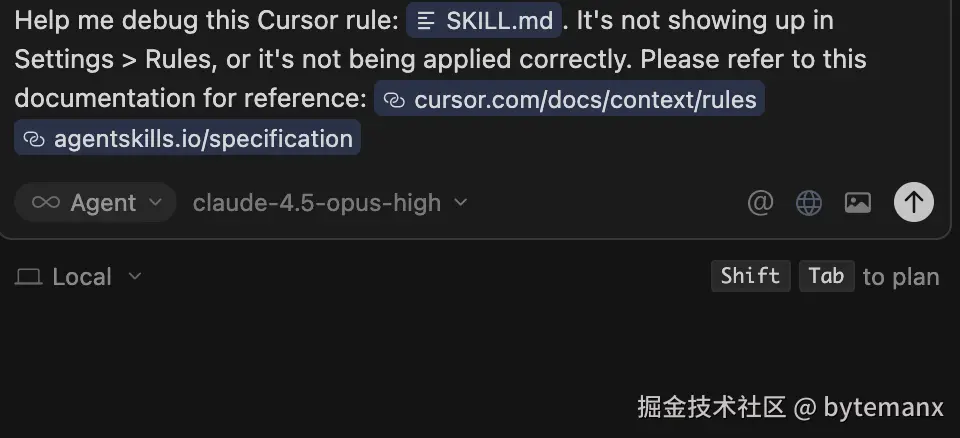
点击后会出现两个有用的链接:
其中 agent-skills 网站详细说明了如何编写 Skill。
一个 Skill 是一个目录,至少需要包含一个 SKILL.md 文件:
skill-name/
└── SKILL.md          # Required
SKILL.md 文件必须包含 YAML frontmatter 和 Markdown 内容。具体规范参考官网,总的来说就是编写 XML 格式的指令,然后导入到 .cursor/rules 目录让 Cursor 识别。
openskills 项目提供了一键安装功能。接下来让我们看看 Claude 官方提供的 skills 示例。
这个 skill 的 metadata 如下:
---
name: algorithmic-art
description: Creating algorithmic art using p5.js with seeded randomness and interactive parameter exploration. Use this when users request creating art using code, generative art, algorithmic art, flow fields, or particle systems.
license: Complete terms in LICENSE.txt
---
SKILL.md 的核心指令结构:
<philosophy>
  Create original algorithmic art that explores mathematical beauty through code.
  Prioritize deterministic, seed-based randomness for reproducibility.
</philosophy>

<instructions>
  <step>Use p5.js for rendering</step>
  <step>Implement seeded random number generator</step>
  <step>Create interactive parameter controls</step>
</instructions>

通过 帮我创建一个流场生成艺术 的提示词触发这个 skill,生成效果如下:
这个 skill 用于测试 Web 应用:
---
name: webapp-testing
description: Toolkit for interacting with and testing local web applications using Playwright. Supports verifying frontend functionality, debugging UI behavior, capturing browser screenshots, and viewing browser logs.
license: Complete terms in LICENSE.txt
---
SKILL.md 的核心指令结构:
<tools>
  <tool name="browser_snapshot">Capture accessibility tree</tool>
  <tool name="browser_click">Interact with elements</tool>
  <tool name="browser_screenshot">Save visual state</tool>
</tools>

<workflow>
  <step>Navigate to target URL</step>
  <step>Snapshot page elements</step>
  <step>Interact and verify behavior</step>
</workflow>
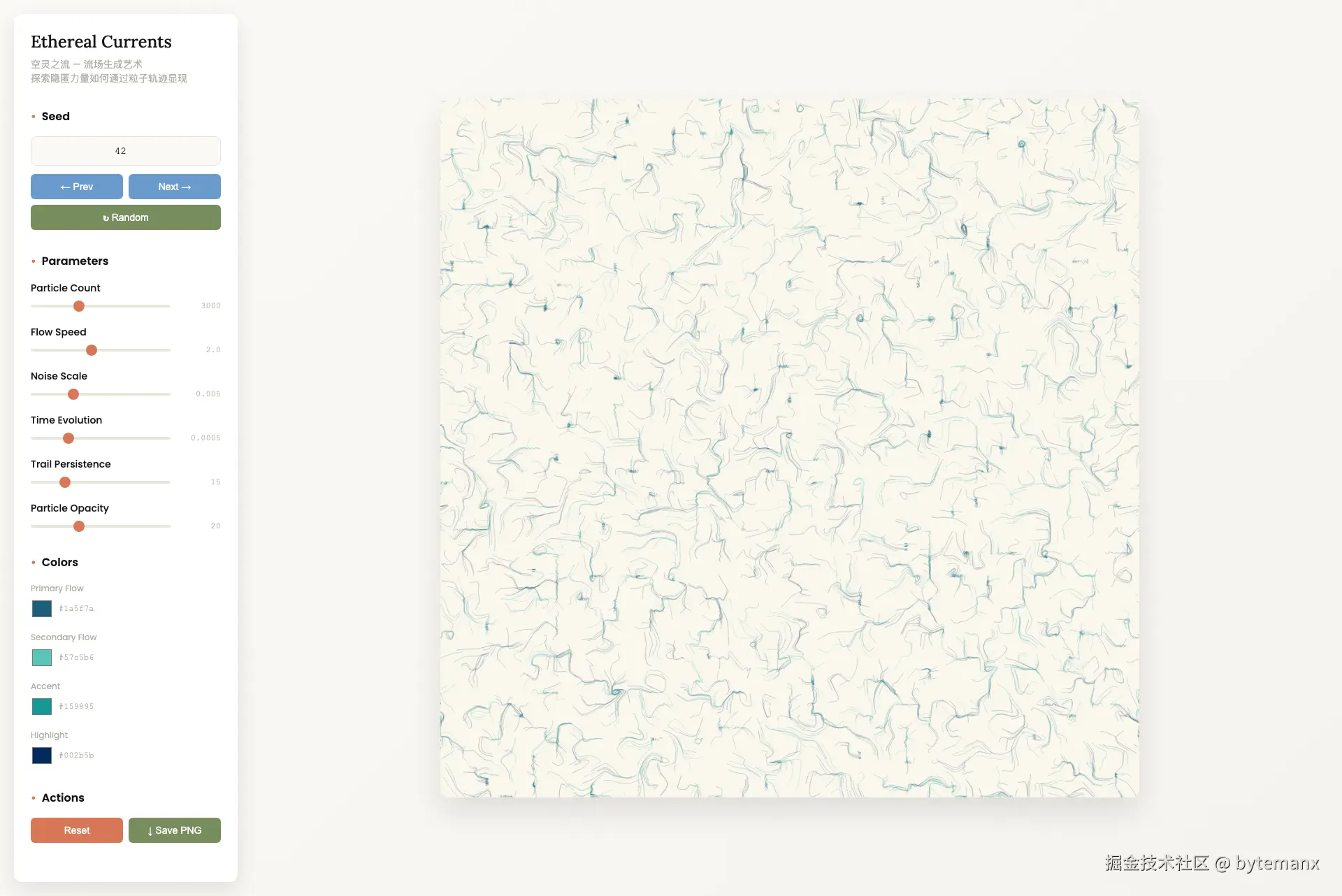
用这个 skill 测试刚刚生成的艺术页面,Cursor 自动生成了 debug_ethereal.py 脚本,运行结果:
 初始截图保存到 /tmp/ethereal_initial.png

 发现 5 个按钮:
  [0] ← Prev
  [1] Next →
  [2] ↻ Random
  [3] Reset
  [4] ↓ Save PNG

 发现 11 个输入框:
  - seed-input (number) = 42
  - particleCount (range) = 3000
  - flowSpeed (range) = 2
  ...

 Canvas 元素存在,尺寸: 1000x1000

⏳ 等待 3 秒让动画运行...
 动画截图保存到 /tmp/ethereal_after_animation.png

️ 点击 Random 按钮...
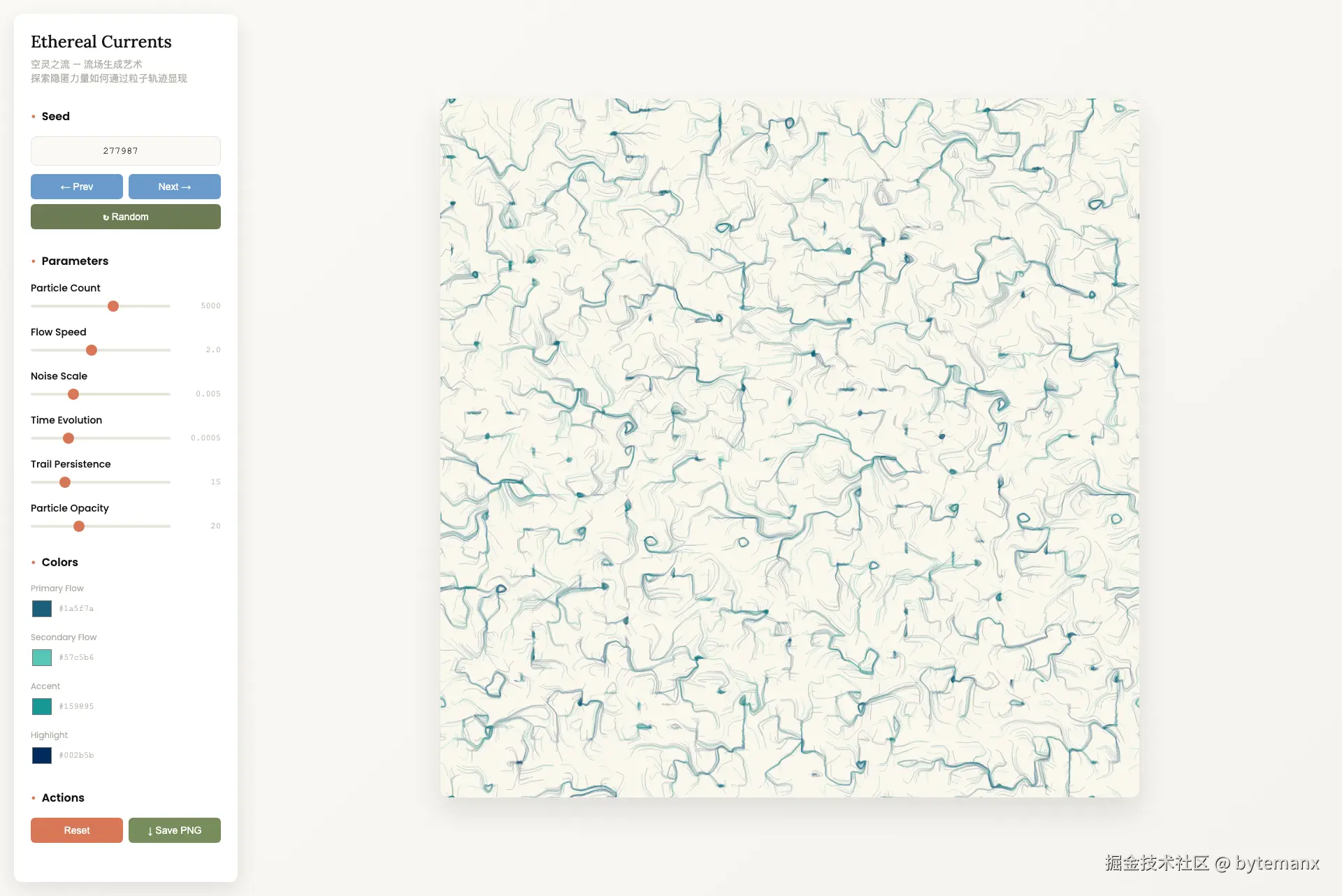
 Random 点击后截图保存到 /tmp/ethereal_after_random.png

 调试完成! 截图保存在 /tmp/ 目录
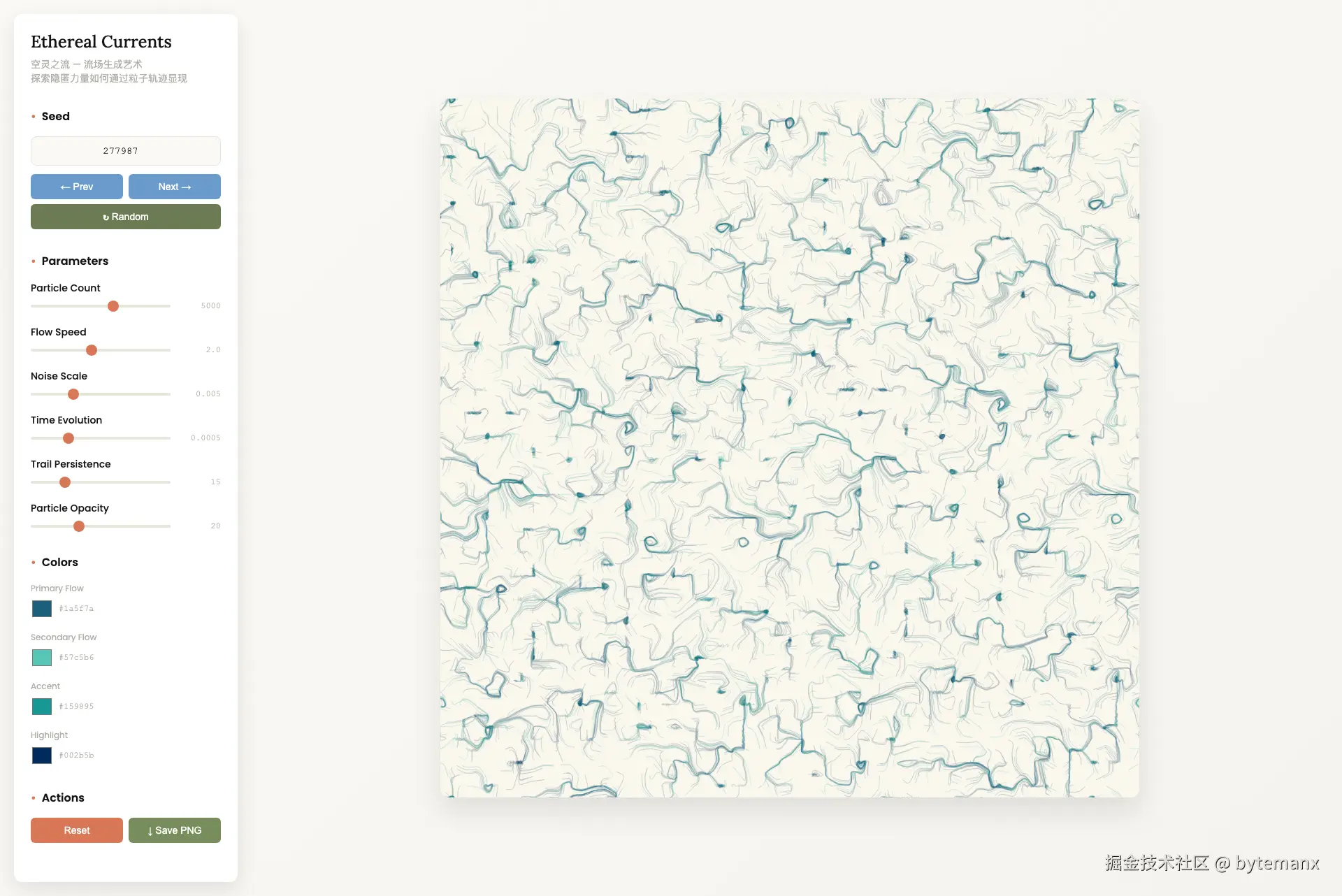
测试截图展示:
初始状态
点击 Random 按钮后
调整滑块后
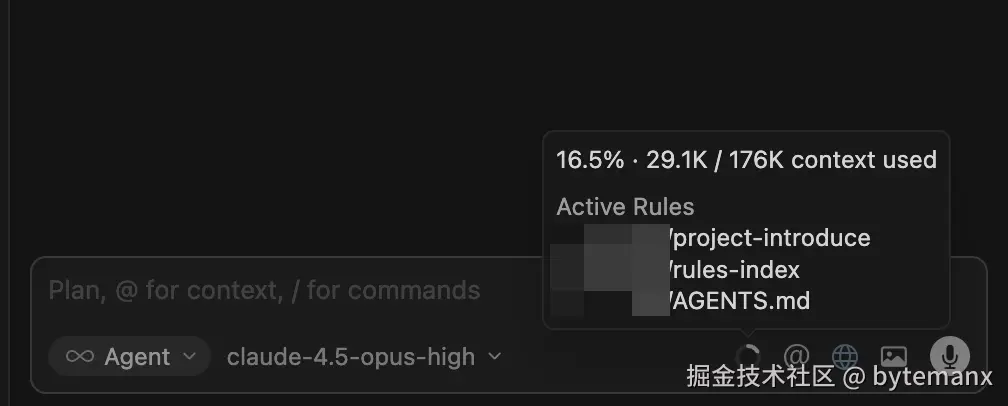
Skill 的核心优势在于按需加载——Agent 自主选择使用什么技能,减少初始上下文大小。
传统 mdc 文档在对话开始就占用较大体积:
| 特性 | Skills | mdc 文档 |
|---|---|---|
| 加载时机 | 按需加载 | 初始加载 |
| 上下文占用 | 小(仅 metadata) | 大(完整内容) |
| 适用场景 | 工作流/能力扩展 | 项目架构/技术栈 |
| 可移植性 | 跨项目复用 | 项目特定 |
Skills 是 Cursor 对 Agent 能力扩展的一次重要尝试。它将工作流文档化,让 Agent 按需获取上下文,而非一开始就加载所有规则。对于项目技术栈和架构描述,mdc 文档仍是更好的选择;但对于可复用的工作流和能力扩展,Skills 提供了更轻量、更灵活的解决方案。