

新启辰教育
123.06M · 2026-03-05

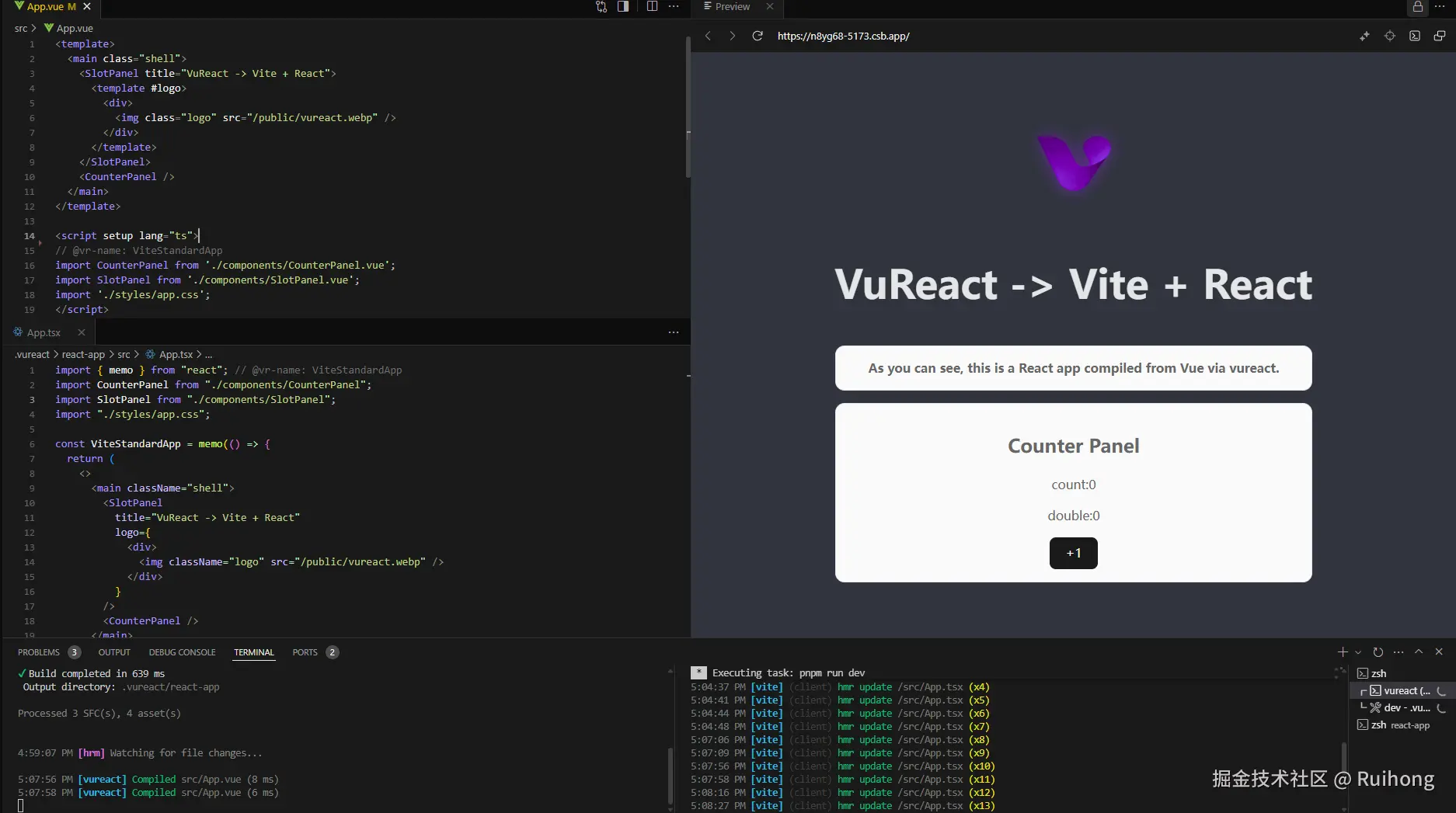
VuReact(发音 /vjuːˈriːækt/)是一个面向 Vue 3 → React 的智能编译工具链。
它不是简单的语法转换,而是语义级编译:理解 Vue 代码的意图,生成符合 React 最佳实践的代码。由编译时转换 + 运行时适配两部分构成。
核心策略是 “约定优先” ——通过明确的编译约定,确保转换稳定可靠,尤其适合渐进式迁移场景。
本节将引导你完成第一个 VuReact 项目的创建、编译和运行;或者选择先查看 在线示例。
完成后你会明确三件事:
先准备一个最小工程(示意):
my-app/
├─ src/
│  ├─ components/
│  │  └─ Counter.vue
│  ├─ main.ts
│  └─ index.css
├─ package.json
└─ vureact.config.js
在你的 Vue 项目中安装 VuReact 编译器:
# 使用 npm
npm install -D @vureact/compiler-core

# 使用 yarn
yarn add -D @vureact/compiler-core

# 使用 pnpm
pnpm add -D @vureact/compiler-core
src/components/Counter.vue
<template>
  <section class="counter-card">
    <h2>{{ title }}</h2>
    <p>Count: {{ count }}</p>
    <button @click="increment">+1</button>
    <button @click="methods.decrease">-1</button>
  </section>
</template>

<script setup lang="ts">
// @vr-name: Counter (注:用于告诉编译器,该生成什么组件名)
import { computed, ref } from 'vue';

// 也可以使用宏定义组件名
defineOptions({ name: 'Counter' });

const step = ref(1);
const count = ref(0);
const title = computed(() => `Counter x${step.value}`);

const increment = () => {
  count.value += step.value;
};

const methods = {
  decrease() {
    count.value -= step.value;
  },
};
</script>

<style lang="less" scoped>
@border-color: #ddd;
@border-radius: 8px;
@padding-base: 12px;

.counter-card {
  border: 1px solid @border-color;
  border-radius: @border-radius;
  padding: @padding-base;
}
</style>
vureact.config.js
import { defineConfig } from '@vureact/compiler-core';

export default defineConfig({
  input: 'src',
  // 关键:排除 Vue 入口文件,避免入口语义冲突
  exclude: ['src/main.ts'],
  output: {
    workspace: '.vureact',
    outDir: 'dist',
    // 教程场景关闭环境初始化,便于观察纯编译产物
    bootstrapVite: false,
  },
  format: {
    enabled: true, // 开启格式化,同时这也会增加编译耗时。
    formatter: 'prettier',
  },
});
在根目录下运行:
npx vureact build
在 package.json 里添加脚本命令:
"scripts": {
  "watch": "vureact watch",
  "build": "vureact build"
}
npm run build
编译后目录(示意):
my-app/
├─ .vureact/
│  ├─ cache/
│  │  └─ _metadata.json
│  └─ dist/
│     └─ src/
│        └─ components/
│           ├─ Counter.tsx
│           └─ Counter-<hash>.css
├─ src/
│  └─ ...
└─ vureact.config.js
下面是一个格式化后的典型输出(为说明做了轻微简化,实际哈希与属性名以本地产物为准):
import { memo, useCallback, useMemo } from 'react';
import { useComputed, useVRef } from '@vureact/runtime-core';
import './Counter-a1b2c3.css';

// 固定使用 memo 包裹组件
const Counter = memo(() => {
  // ref/computed 转换成了对等的适配 API
  const step = useVRef(1);
  const count = useVRef(0);
  const title = useComputed(() => `Counter x${step.value}`);

  // 自动分析顶层箭头函数依赖,并追加 useCallback 优化
  const increment = useCallback(() => {
    count.value += step.value;
  }, [count.value, step.value]);

  // 自动分析顶层对象中的依赖,并追加 useMemo 优化
  const methods = useMemo(
    () => ({
      decrease() {
        count.value -= step.value;
      },
    }),
    [count.value],
  );

  return (
    <>
      <section className="counter-card" data-css-a1b2c3>
        <h2 data-css-a1b2c3>{title.value}</h2>
        <p data-css-a1b2c3>Count: {count.value}</p>
        <button onClick={increment} data-css-a1b2c3>
          +1
        </button>
        <button onClick={methods.decrease} data-css-a1b2c3>
          -1
        </button>
      </section>
    </>
  );
});

export default Counter;
CSS 文件内容:
.counter-card[data-css-a1b2c3] {
  border: 1px solid #ddd;
  border-radius: 8px;
  padding: 12px;
}
// @vr-name: Counter 这段特殊注释定义了组件名memo 包装ref / computed 被转换为 runtime 适配 API(useVRef / useComputed)onClickuseCallbackuseMemoref 状态值补上 .valueless 样式被编译为 css 代码scoped 样式会生成带哈希的 css 文件,并在元素上标注作用域属性src/main.ts 或 App.vuescoped,导致作用域失效如果确实需要,你可以选择 ️混合编写,以此直接使用 React 生态。