
闪电疯狂赛车
91.44M · 2026-03-23

本篇文章分享一个使用CSS3实现的时间轴效果。有一定的参考价值,有需要的朋友可以参考一下,希望对大家有所帮助。

【推荐教程:CSS视频教程 】
最近打开电脑就能看到一个实战路径图页面,效果是这样的:

有点像时间轴的赶脚,而且每一块鼠标悬浮上去也有下拉效果展开介绍截图信息,就感觉效果还不错。但感觉这种效果貌似对于动态添加不是很灵活,因为高度不像宽度可以灵活的自适应,故添加得自己一个一个设置。所以很多都是做成展示效果。
当然啦,自己也基于它的这个想法搞了一点简单点的类似效果,主要还是整个布局效果,具体每一块内容就不仿造了,而且我自己也加了一下开场动画,让它更好玩一些…
先来看看效果吧:
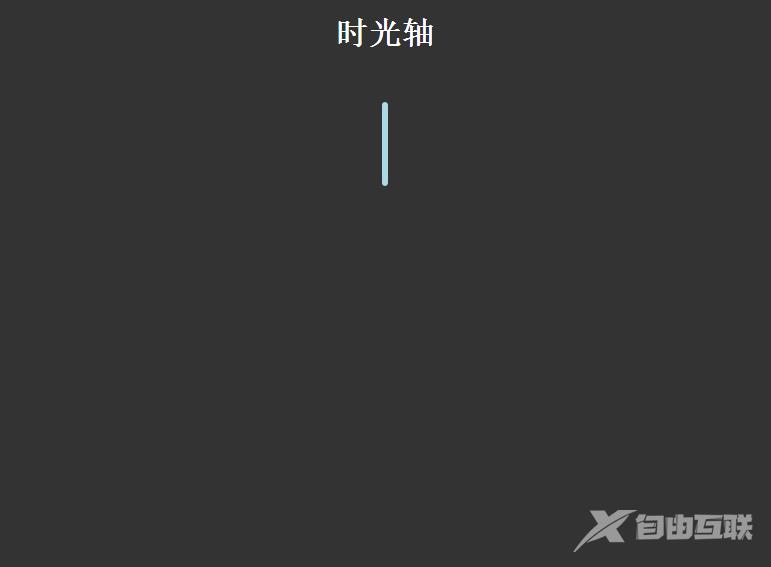
大概效果就是这样啦,下来废话不说,还是直接进入主题:
HTML结构:
<div class="timezone"> <div class="time"> <h2>2015-07-02</h2> <div> <p>暴走大事件第一季</p> <ul> </ul> </div> </div> <div class="timeLeft" style="top: 100px;"> <h2>2015-07-02</h2> <div> <p>暴走大事件第二季</p> <ul> </ul> </div></div>
这里简化了一下HTML结构,.time类表示在右边,.timeLeft表示在左边,然后加点上外边距就可以了,每一块里面的内容我就删减掉了。
CSS样式代码如下:
body{ background: #333; } h1{ text-align: center; color:#fff; } .timezone{ width:6px; height: 350px; background: lightblue; margin: 0 auto; margin-top:50px; border-radius: 3px; position: relative; -webkit-animation: heightSlide 2s linear; } @-webkit-keyframes heightSlide{ 0%{ height: 0; } 100%{ height: 350px; } } .timezone:after{ content: '未完待续...'; width: 100px; color:#fff; position: absolute; margin-left: -35px; bottom: -30px; -webkit-animation: showIn 4s ease; } .timezone .time,.timezone .timeLeft{ position: absolute; margin-left: -10px; margin-top:-10px; width:20px; height:20px; border-radius: 50%; border:4px solid rgba(255,255,255,0.5); background: lightblue; -webkit-transition: all 0.5s; -webkit-animation: showIn ease; } .timezone .time:nth-child(1){ -webkit-animation-duration:1s; } .timezone .timeLeft:nth-child(2){ -webkit-animation-duration:1.5s; } .timezone .time:nth-child(3){ -webkit-animation-duration:2s; } .timezone .timeLeft:nth-child(4){ -webkit-animation-duration:2.5s; } @-webkit-keyframes showIn{ 0%,70%{ opacity: 0; } 100%{ opacity: 1; } } .timezone .time h2,.timezone .timeLeft h2{ position: absolute; margin-left: -120px; margin-top: 3px; color:#eee; font-size: 14px; cursor:pointer; -webkit-animation: showIn 3s ease; } .timezone .timeLeft h2{ margin-left: 60px; width: 100px; } .timezone .time:hover,.timezone .timeLeft:hover{ border:4px solid lightblue; background: lemonchiffon; box-shadow: 0 0 2px 2px rgba(255,255,255,0.4); } .timezone .time div,.timezone .timeLeft div{ position: absolute; top:50%; margin-top: -25px; left:50px; width: 300px; height: 50px; background: lightblue; border:3px solid #eee; border-radius: 10px; z-index: 2; overflow: hidden; cursor:pointer; -webkit-animation: showIn 3s ease; -webkit-transition: all 0.5s; } .timezone .timeLeft div{ left:-337px; } .timezone .time div:hover,.timezone .timeLeft div:hover{ height: 170px; } .timezone .time div p,.timezone .timeLeft div p{ color: #fff; font-weight: bold; text-align: center; } .timezone .time:before,.timezone .timeLeft:before{ content: ''; position: absolute; top:0px; left: 32px; width: 0px; height: 0px; border:10px solid transparent; border-right:10px solid #eee; z-index:-1; -webkit-animation: showIn 3s ease; } .timezone .timeLeft:before{ left:-33px; border:10px solid transparent; border-left:10px solid #eee; } .timezone .time div ul,.timezone .timeLeft div ul{ list-style: none; width:300px; padding:5px 0 0; border-top:2px solid #eee; color:#fff; text-align: center; } .timezone .time div li,.timezone .timeLeft div li{ display: inline-block; height: 25px; line-height: 25px; }此CSS样式代码仅供参考,实用性不是很强,而且同样没有怎么整理过,主要还是理解一下动画效果还有整体布局吧。祝好!
更多编程相关知识,请访问:编程视频!!
【本文转自:韩国cn2服务器 http://www.558idc.com/kt.html欢迎留下您的宝贵建议】