
Slashrun
100.37M · 2026-04-09

在css中,submit的意思是提交,当点击该按钮时,会把用户信息的表单提交到远程数据库中;语法“type="submit"”。type属性可返回确认按钮的表单元素类型,当值为submit时,表示该按钮为确认按钮。

本教程操作环境:windows7系统、CSS3&&HTML5版、Dell G3电脑。
Submit对象代表HTML表单中的一个提交按钮(submitbutton)。在HTML表单中<input type="submit">标签每出现一次,一个Submit对象就会被创建。
在表单提交之前,触发onclick事件句柄,并且一个句柄可以通过返回false来取消表单提交。
例子
<!DOCTYPE html><html> <head> <meta charset="utf-8" /> <title>document</title> </head> <style> input[type="text"], select { width: 100%; padding: 12px 20px; margin: 8px 0; display: inline-block; border: 1px solid #ccc; border-radius: 4px; box-sizing: border-box; } input[type="submit"] { width: 100%; background-color: #4caf50; color: white; padding: 14px 20px; margin: 8px 0; border: none; border-radius: 4px; cursor: pointer; } input[type="submit"]:hover { background-color: #45a049; } div { border-radius: 5px; background-color: #f2f2f2; padding: 20px; } </style> <body> <h3>使用 CSS 来渲染 HTML 的表单元素</h3> <div> <form action="/action_page.php"> <label for="fname">First Name</label> <input type="text" id="fname" name="firstname" placeholder="Your name.." /> <label for="lname">Last Name</label> <input type="text" id="lname" name="lastname" placeholder="Your last name.." /> <label for="country">Country</label> <select id="country" name="country"> <option value="australia">Australia</option> <option value="canada">Canada</option> <option value="usa">USA</option> </select> <input type="submit" value="Submit" /> </form> </div> </body></html>效果:
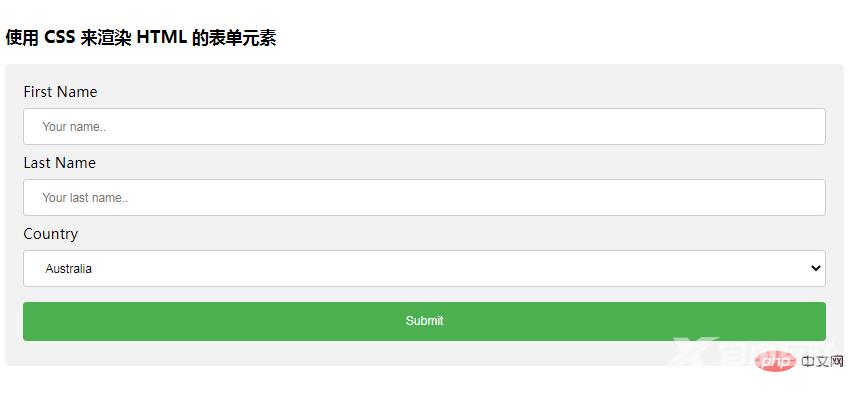
推荐学习:css视频教程