
Slashrun
100.37M · 2026-04-09

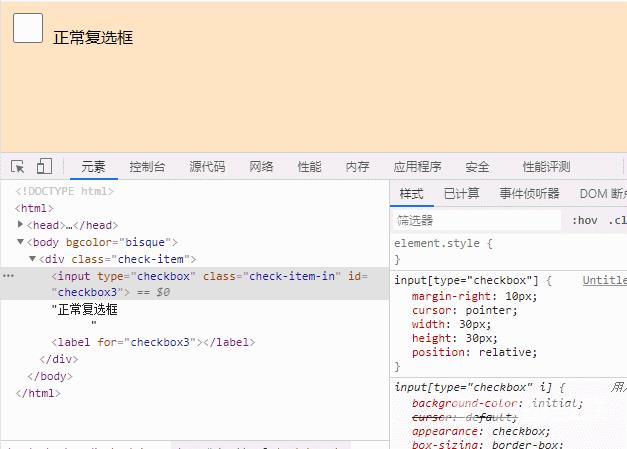
在css中,可以使用width属性和height属性设置checkbox的大小,只需要给checkbox元素设置“height:数值”和“width:数值”样式即可。width属性定义复选框的宽度,height属性定义复选框的高度。

本教程操作环境:windows7系统、CSS3&&HTML5版、Dell G3电脑。
<!DOCTYPE html><html> <head> <meta charset="utf-8" /> <title>document</title> <style> input[type="checkbox"] { margin-right: 10px; cursor: pointer; width: 30px; height: 30px; position: relative; } </style> </head> <body bgcolor="bisque"> <div class="check-item"> <input type="checkbox" class="check-item-in" id="checkbox3" />正常复选框 <label for="checkbox3"></label> </div> </body></html>效果如图:
推荐学习:css视频教程